Raising a Virtual Pet Together: Small Moments of Teamwork in Bunny
Shared pets
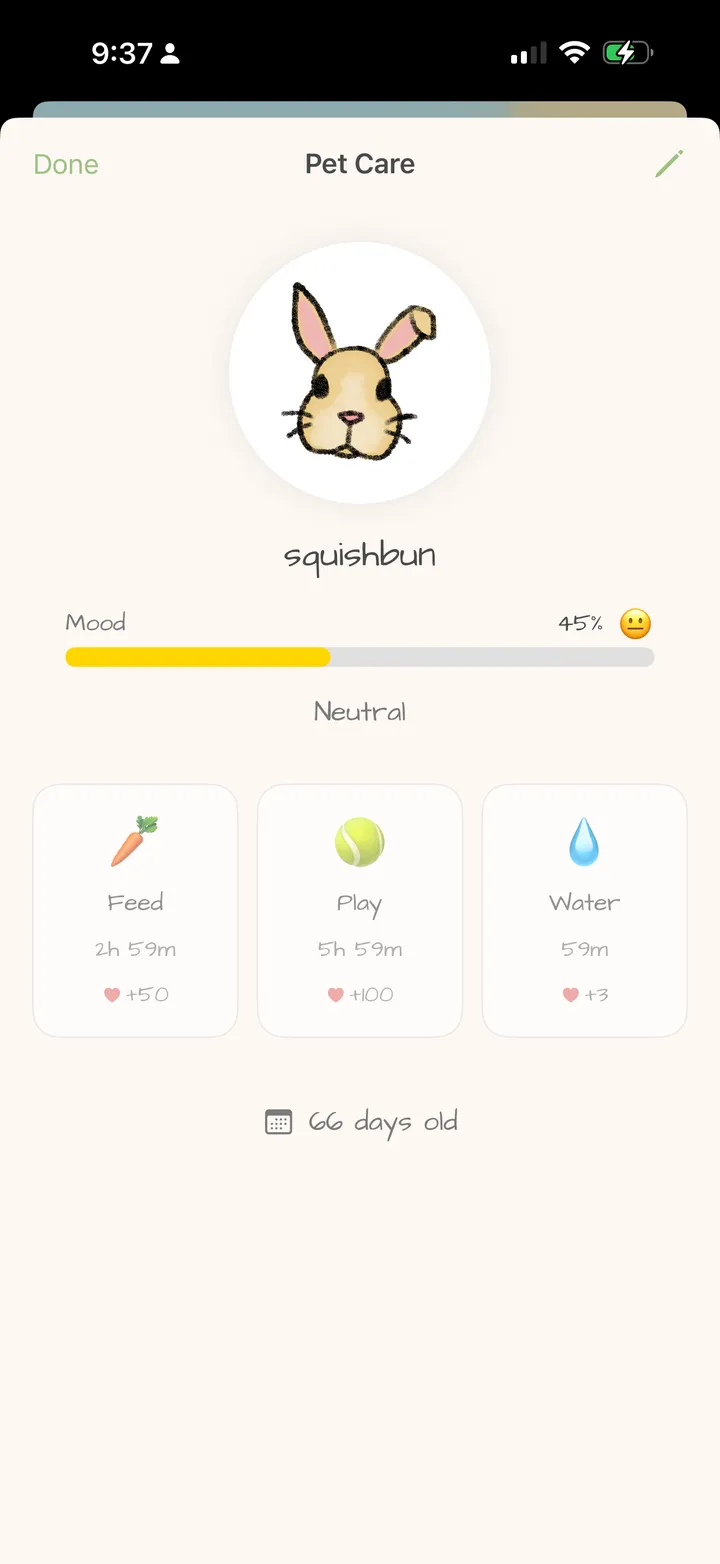
“Did you feed our bunny?” is a small question, but the word “our” does a lot of work. A shared virtual pet gives you something to care about together, including on the days when you’re living very separate schedules.
A shared pet gives you a shared story
In Bunny, connected partners care for one virtual bunny. You share its name, mood and care timers. Both of you can feed it, play with it and give it water from your own phones. Basic bunny care is free.
The first decision is a fun one: what do you call it? A ridiculous nickname, a favorite food or a reference to your first date makes the pet feel like something particular to your relationship. Try our pet-name ideas if you need a starting point.
Why a little shared responsibility can feel good
Living apart can mean you mostly tell each other about things that have already happened. A pet gives you something you’re both involved in as it happens. You can choose a name together, notice how it’s doing and take a small care action that your partner can see when they visit.
That can create chances to cooperate and be thoughtful. If your partner has a busy day, you can enjoy checking on the bunny during your own break. Later, the pet becomes an easy conversation starter rather than another recap of work.
These are possible benefits of a shared activity, rather than a promise that an app will improve every relationship. What matters is whether both of you enjoy the routine and feel comfortable with how you use it.
Make it work across different schedules
You don’t have to care for the bunny at the same time. Open Bunny with an internet connection to load and share updates. Feed, Play and Water have separate cooldowns, and those timers belong to the shared pet. If your partner already used an action, you’ll see the same wait.
Take that as a little sign that your partner visited, then see what else you feel like doing. You might send them a letter or answer a question round while you’re there.
A gentle routine for your first few days
- Choose the name together. Each suggest three names, then talk through your favorites.
- Try the care actions. Use an available Feed, Play or Water action and notice how the shared timers work.
- Check in when it fits. Choose a natural moment, such as a break or the end of the day, without expecting matching visit counts.
- Let the pet start a conversation. Invent a tiny backstory or ask what a real shared home might feel like one day.
Let care stay enjoyable
A virtual pet is an easy shared activity, but it doesn’t tell you whether someone loves you enough or how ready you are for a real animal. Busy days happen. Agree that missing a visit is fine, and speak directly if you need attention or support.
If you enjoy having something grow alongside your routine, Bunny also has a free shared plant. You can keep things as simple as pet care and a note, or explore other activities when you have time.
Start your shared bunny’s story
Each partner needs a supported iPhone or iPad and their own account. Create or join a Love Nest using its invite code, then visit your pet. You can use basic care without a subscription and decide later whether the extra Pro features fit your routine.
Try together in Bunny: Raise a shared pet · Draw together · Send love notes
By The Bunny team · About Bunny · Free and Pro features
