A shared virtual plant for the two of you
Give it a name, stop by with a little water and watch it grow. Bunny gives you and your partner one plant to care for from your own phones, even when you’re apart.
Plant care is free · iPhone and iPad
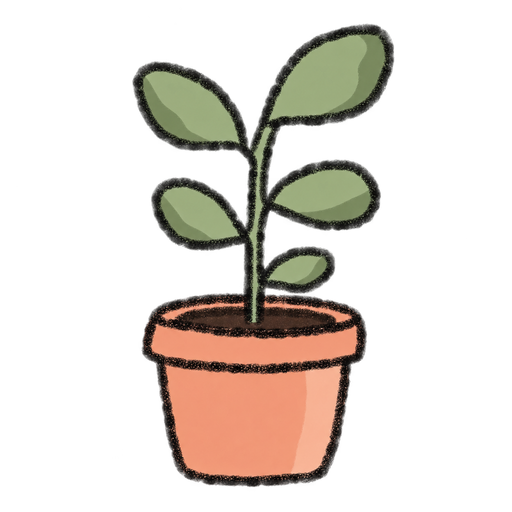
A little garden that belongs to both of you
Once you connect your accounts, you share the same named plant. Its health and growth progress belong to your pair, so you can both return to something you’re looking after together.
You don’t need to arrange a call to check on it. Open your plant with an internet connection, see how it’s doing and water it when the control is available. Your partner can visit later and load the updated plant.
From a seed to a tree
Your plant has four stages: Seed, Sprout, Sapling and Tree. The artwork changes as it grows, and the plant screen shows its current stage, health and progress. It gives you a small shared project to come back to.
Start your shared plant
- Install Bunny on both devices and create an account each.
- One partner creates a Love Nest and shares the invite code. The other joins using that code.
- Tap Plant in your shared home, or Our plant in the shortcuts menu, to open Our Garden.
- Tap the pencil to choose a name, then tap Save.
- Use A little water when it is available. Check the plant screen when you return to see its current state.
Free care, with more to share nearby
You don’t need a subscription to grow your plant. You can also care for your shared bunny and send text love letters for free.
When you feel like making something together, Bunny Pro adds a shared drawing canvas and its Home Screen widget. Pro has weekly and one-time lifetime options. See the free features and Pro pricing before choosing an upgrade.
Questions about your shared plant
Can we grow one virtual plant together?
Yes. Connect your accounts with a Love Nest invite code and Bunny gives your pair one shared plant. You can name it, check its health and growth stage, and water it when the control is available.
Is the shared plant free?
Yes. Plant care is included with Bunny’s free features, along with basic bunny care and text love letters. The shared drawing whiteboard requires Bunny Pro.
Do we have to open Bunny at the same time?
No. You can visit your plant at different times. Open the plant screen with an internet connection to load its current state and check whether watering is available.
What are the plant’s growth stages?
Bunny’s plant grows through Seed, Sprout, Sapling and Tree stages. The plant screen shows its current stage, health and growth progress as you care for it.
Can we change our plant’s name?
Yes. Open Plant from your shared home, tap the pencil in Our Garden, enter a name and tap Save. The name belongs to your shared plant.
Which devices and languages does Bunny support?
Both partners need an iPhone or iPad and their own connected Bunny accounts. The interface is in English. There is currently no Android version; check the App Store for current device requirements.